Anleitung 2 von 6 · 7 Schritte
Connecting RabiDash BM Lite to your BMW display for the first time
Allow the permissions, stop the BMW app, pair with the bike over Bluetooth and set up Android Auto. Do it once with the bike parked; after that the app connects by itself each time you switch the ignition on.
Park the bike and switch the ignition on
Do every step below with the bike parked. Switch the ignition on and keep it on while you set up.
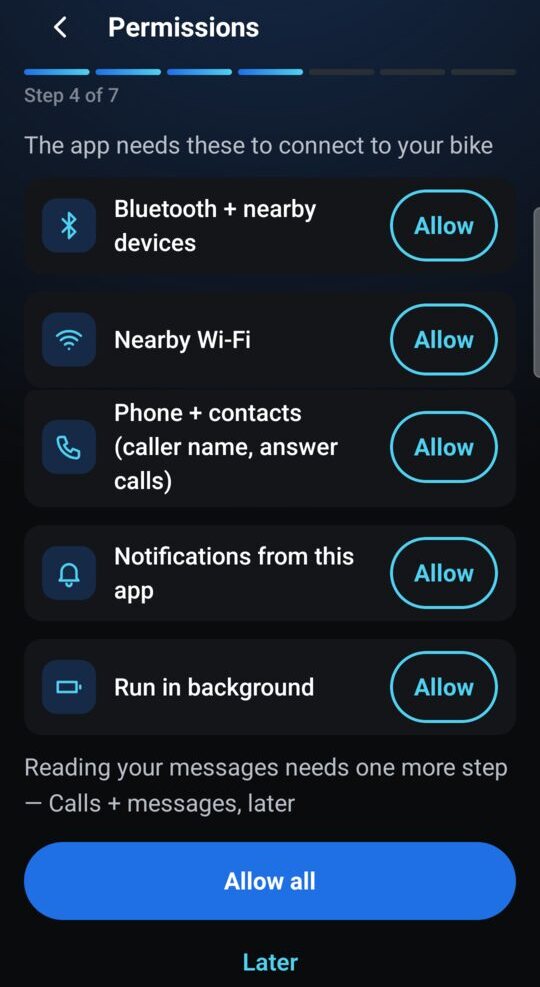
Allow the permissions
On the permissions screen, tap Allow all: Bluetooth and nearby devices, Nearby Wi-Fi, phone and contacts, notifications, run in background. On Android 10, 11 and 12, the Nearby Wi-Fi permission appears as a location permission dialog: allow it, the app needs it to join the display's Wi-Fi. If the app says battery optimisation is on, choose Turn off battery optimisation and set the app to Unrestricted, so the connection doesn't drop mid-ride.
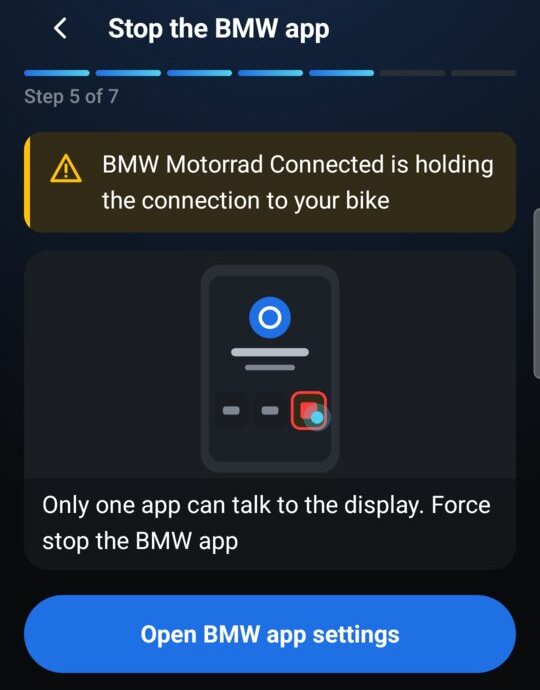
Stop the BMW Motorrad Connected app
The bike's display talks to one app at a time. If your phone has BMW Motorrad Connected, tap Open BMW app settings and choose Force stop. When the app shows The BMW app is stopped, you're done. If the BMW app isn't installed, skip this step.
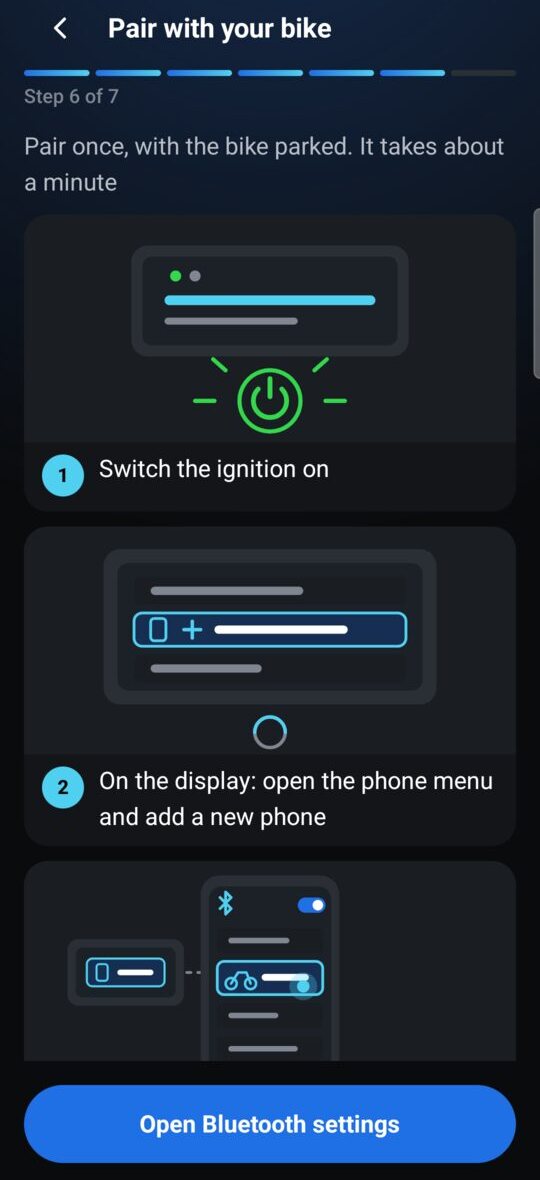
Pair with the bike over Bluetooth
On the bike's display, open the phone menu and add a new phone. On your phone, open Bluetooth settings and tap BMW Motorrad, or pick your phone on the display (the app shows your phone's Bluetooth name under This phone shows as). Both sides show a number: tap Pair only if the display shows the same number; if it differs, tap Cancel and start again. Pairing takes about a minute; the app shows Paired with your bike's name when it's done.
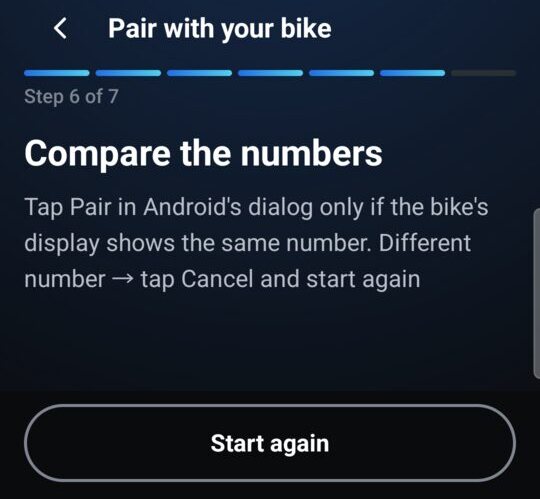
If pairing doesn't finish
If pairing hasn't finished after 3 minutes, the app shows Pairing didn't finish. On your phone, forget BMW Motorrad in Bluetooth settings if it's listed. On the display, remove this phone if it's listed. Switch the ignition off, wait 10 seconds, switch it on, then tap Try again.
Set up Android Auto (if you use it)
You only need this if you want Android Auto on the bike's display; to mirror one app, choose Skip — mirror an app only. Open the Android Auto app in your phone's settings, scroll to the bottom, tap Version about 10 times, then OK (this is Android Auto's developer mode, not your phone's). Open the ⋮ menu, choose Start head unit server, go back to RabiDash BM Lite and tap Check again. After the phone restarts, start the head unit server again.
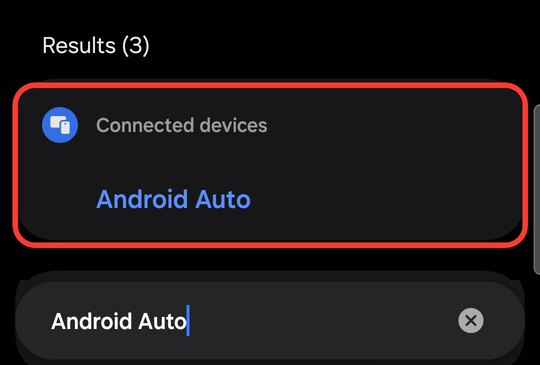
Find Android Auto in the phone's settings 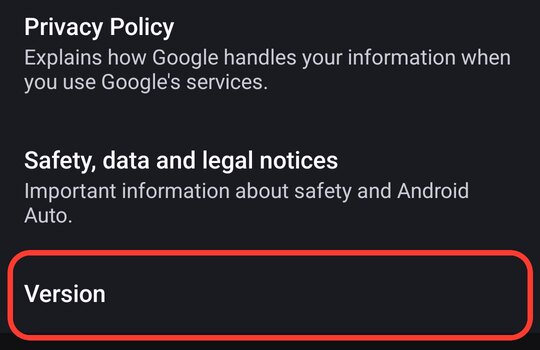
Tap Version about 10 times 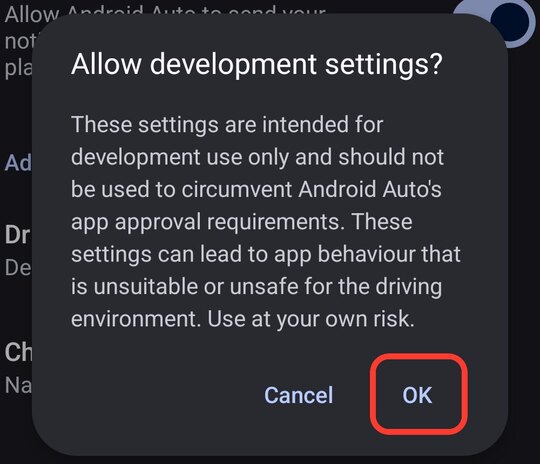
Allow development settings: OK 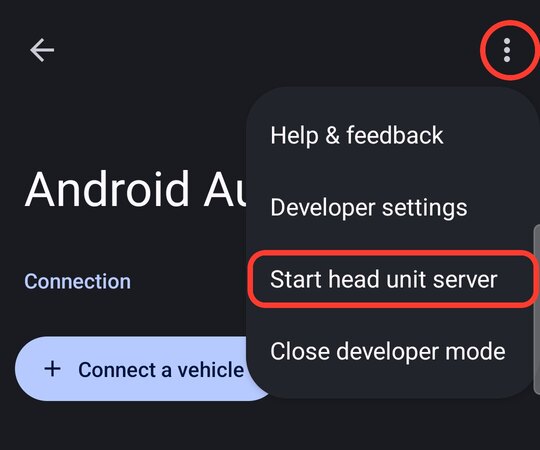
Menu ⋮ › Start head unit server 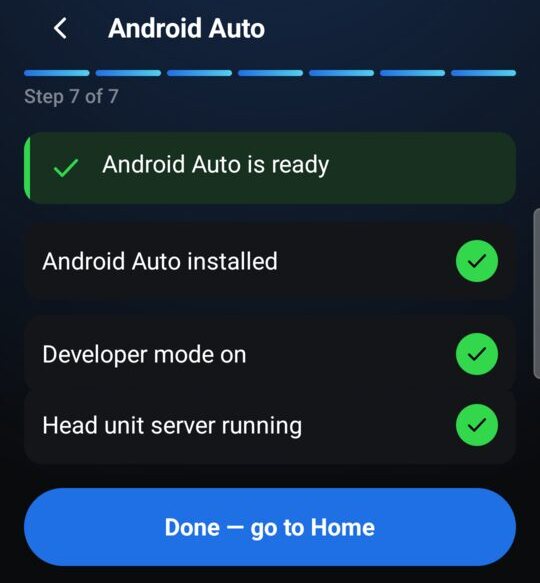
From then on: just switch the ignition on
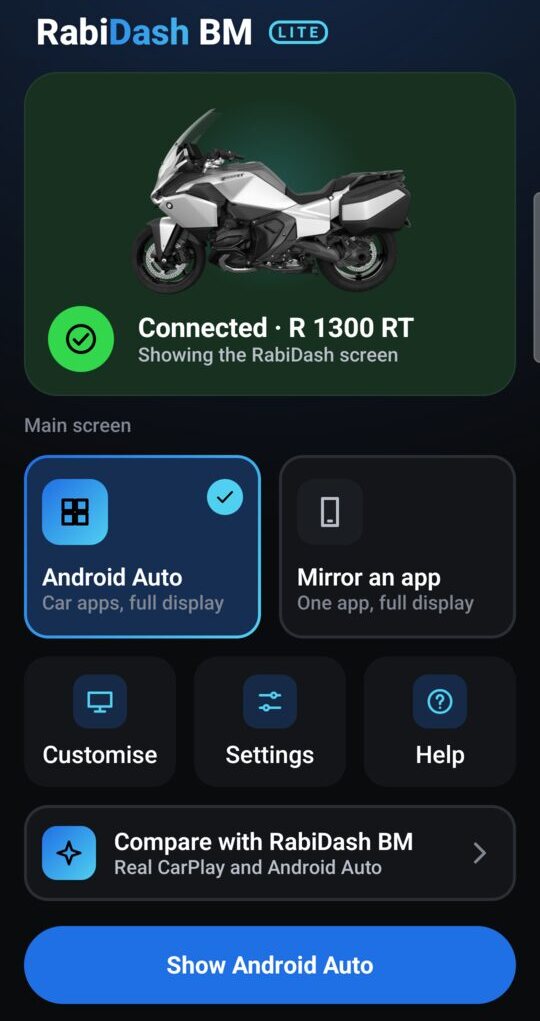
The display looks for your paired phone for about a minute after you switch the ignition on. Keep Bluetooth on: the app waits in the background and connects by itself, and Home shows Connected with your bike's name. Under Main screen, choose Android Auto or Mirror an app. When mirroring and Android asks what to share, choose the entire screen, not a single app.
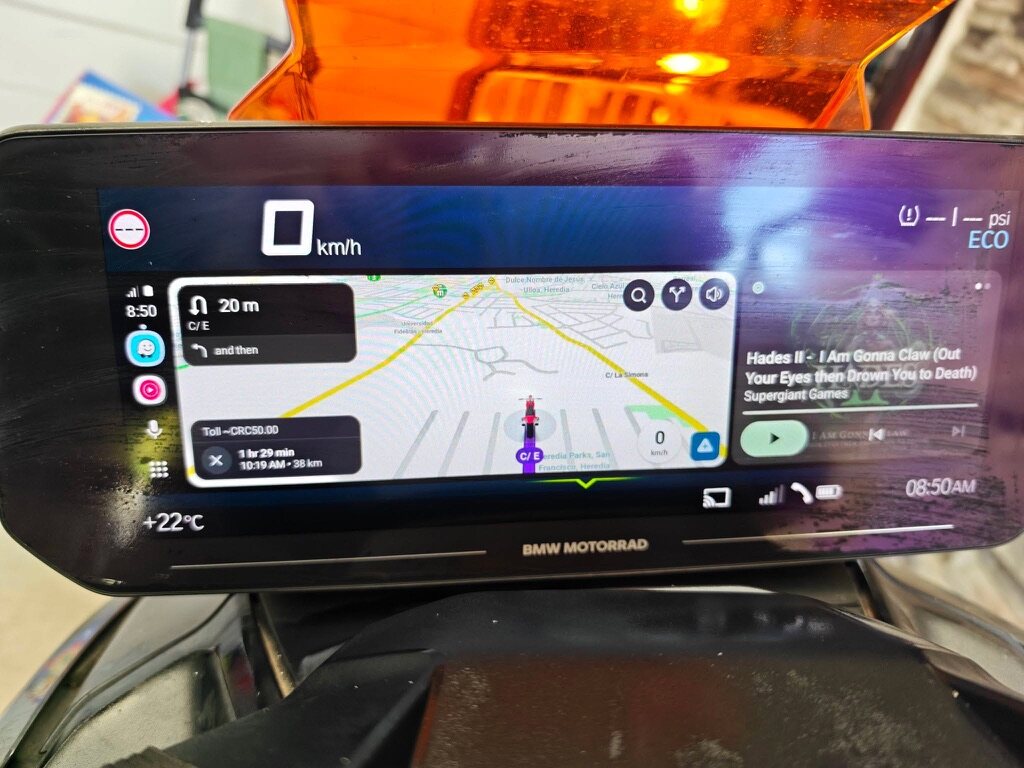
You pair over Bluetooth once per phone. With a new phone, pair it once in the bike's Bluetooth menu.
Android Auto keeps running on the bike's display when you lock your phone.
Can't connect? See RabiDash BM Lite won't connect to the display: check in this order.